
Agile planning that keeps up with your team.
santi gives software teams Scrum and Kanban boards, a backlog and sprints that answer in milliseconds. Free and open source: run it on your own server in one command, or try it here first.
- AGPL-3.0
- Rust + React
- 90%+ test coverage, enforced in CI
- 6.7 ms p95 board
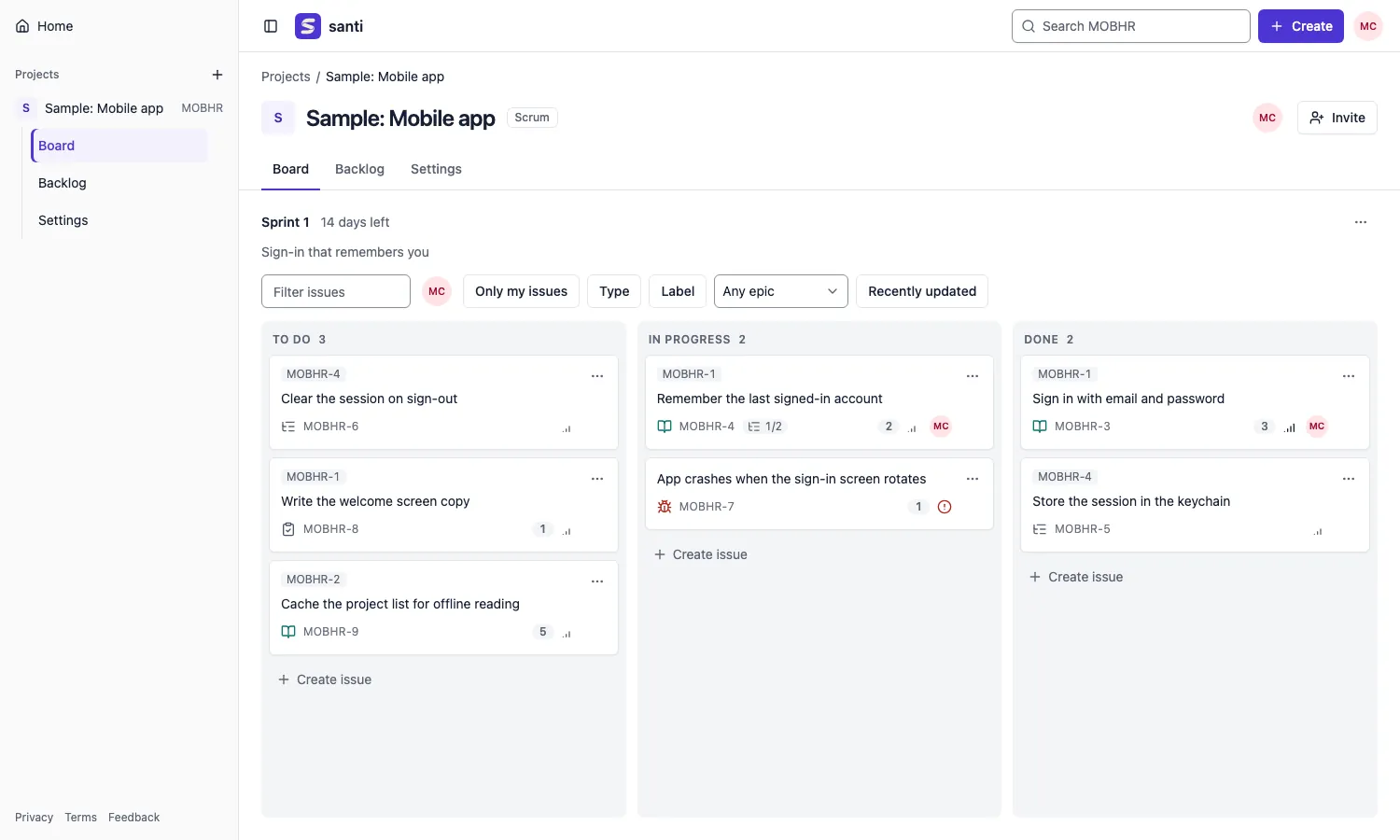
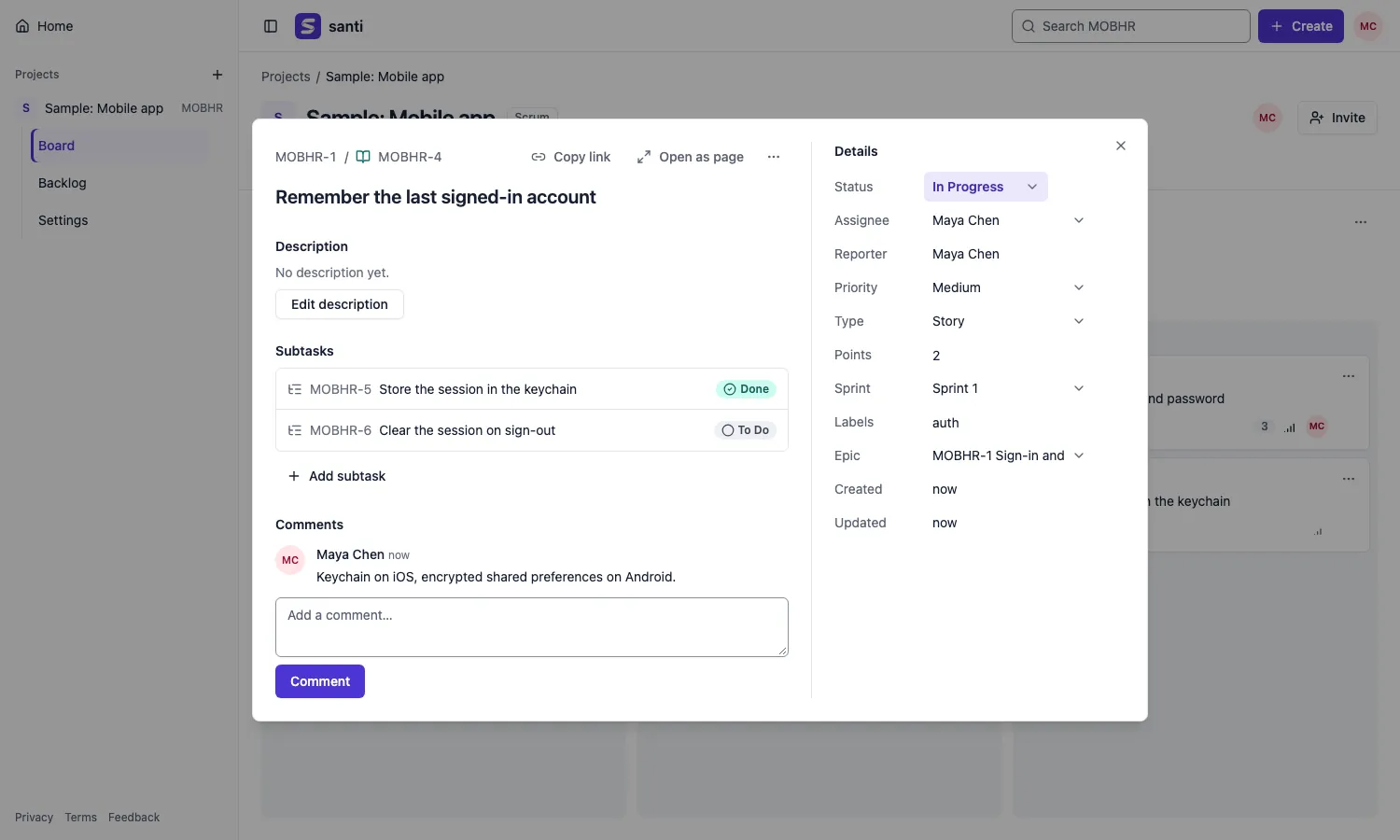
Boards
Drag a card, or never touch the mouse.
Scrum boards follow the running sprint; Kanban boards follow the flow. Moves are instant, and every drag has a keyboard twin.
- Drag and drop across and within columns, or the “Move to…” menu
- Columns that hold several statuses, with WIP limits that warn
- Kanban tidies away done work after the days you choose
- On a phone, the board shows one column at a time
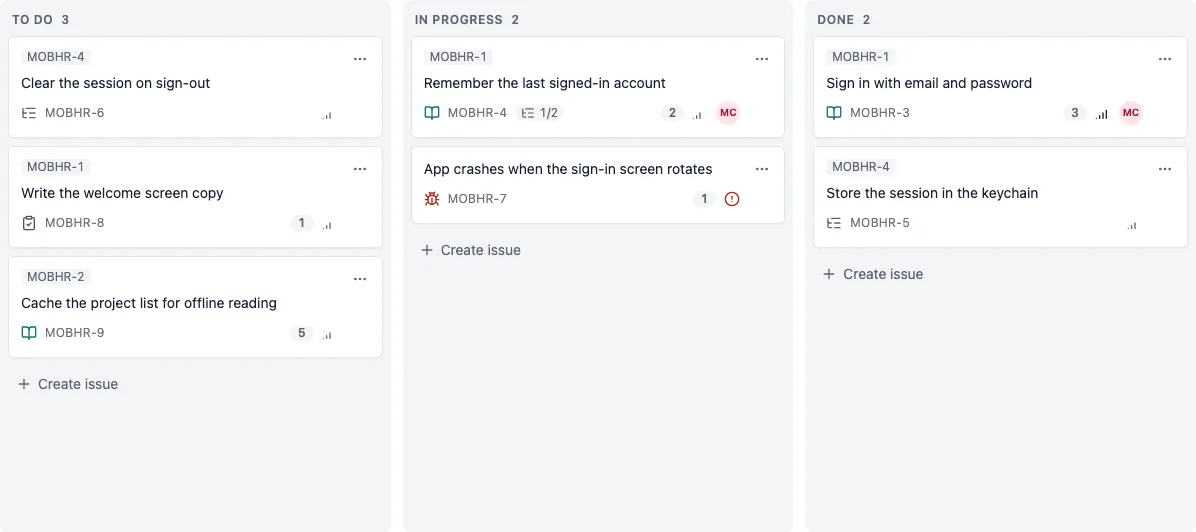
Backlog and sprints
Plan the sprint where the work already is.
Sprints and the backlog live in one list. Pull issues in, size them, start the sprint, and close it without losing track of what did not make it.
- Drag issues between sprint sections and the backlog
- Edit summary, points and assignee right in the row
- Unfinished work goes to the backlog, the next sprint or a new one
- An epic panel to group and filter work
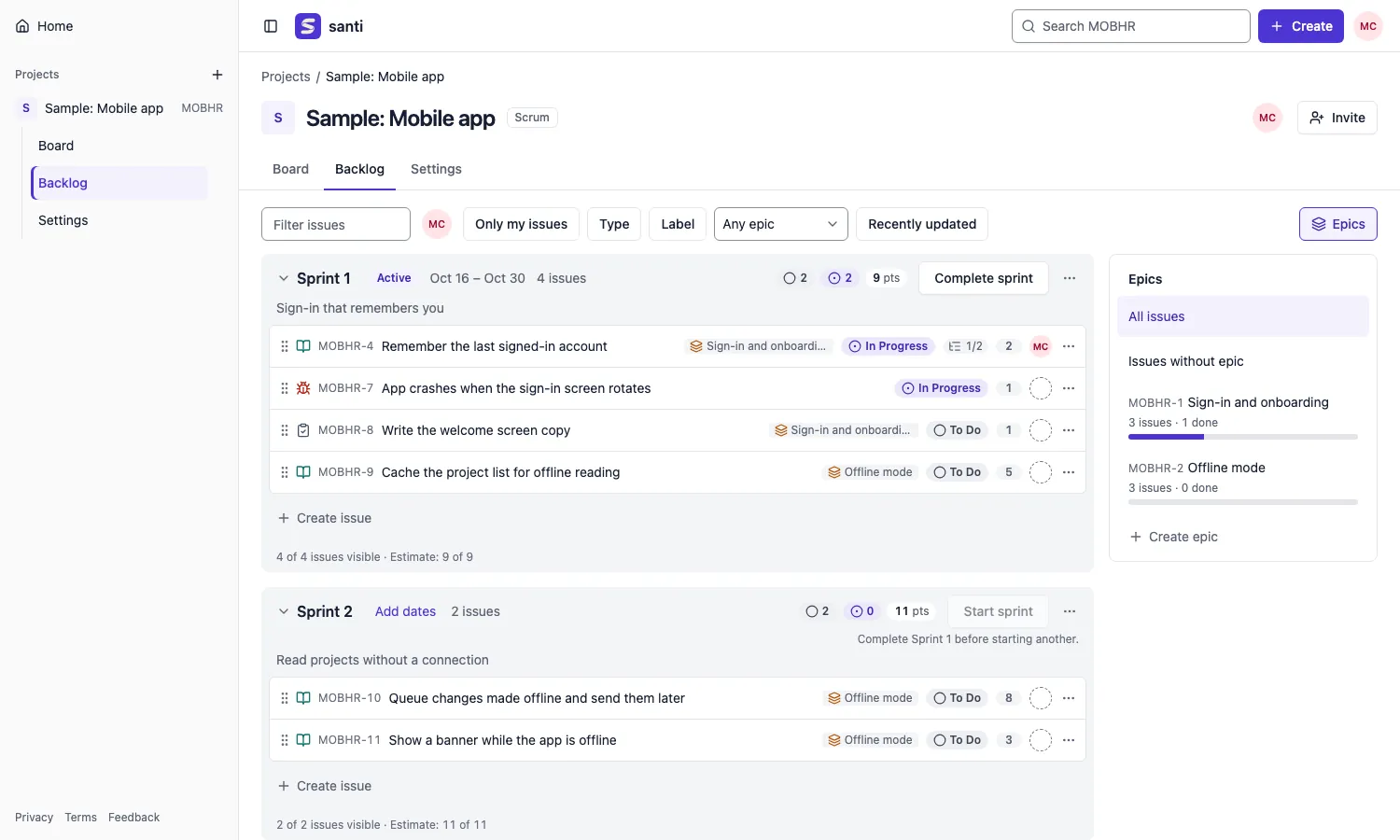
Issues
Every detail one click from the board.
Open an issue over the board, change a field where it sits, and go back to where you were. Filters stay in the URL, so a view is a link you can share.
- Epics, stories, tasks, bugs and subtasks
- Comments, labels, points, priority and parent
- Filters by assignee, type, label and epic, plus project search
- Shortcuts: c creates, j / k move, ? lists the rest
Import
Bring your work from your current tracker.
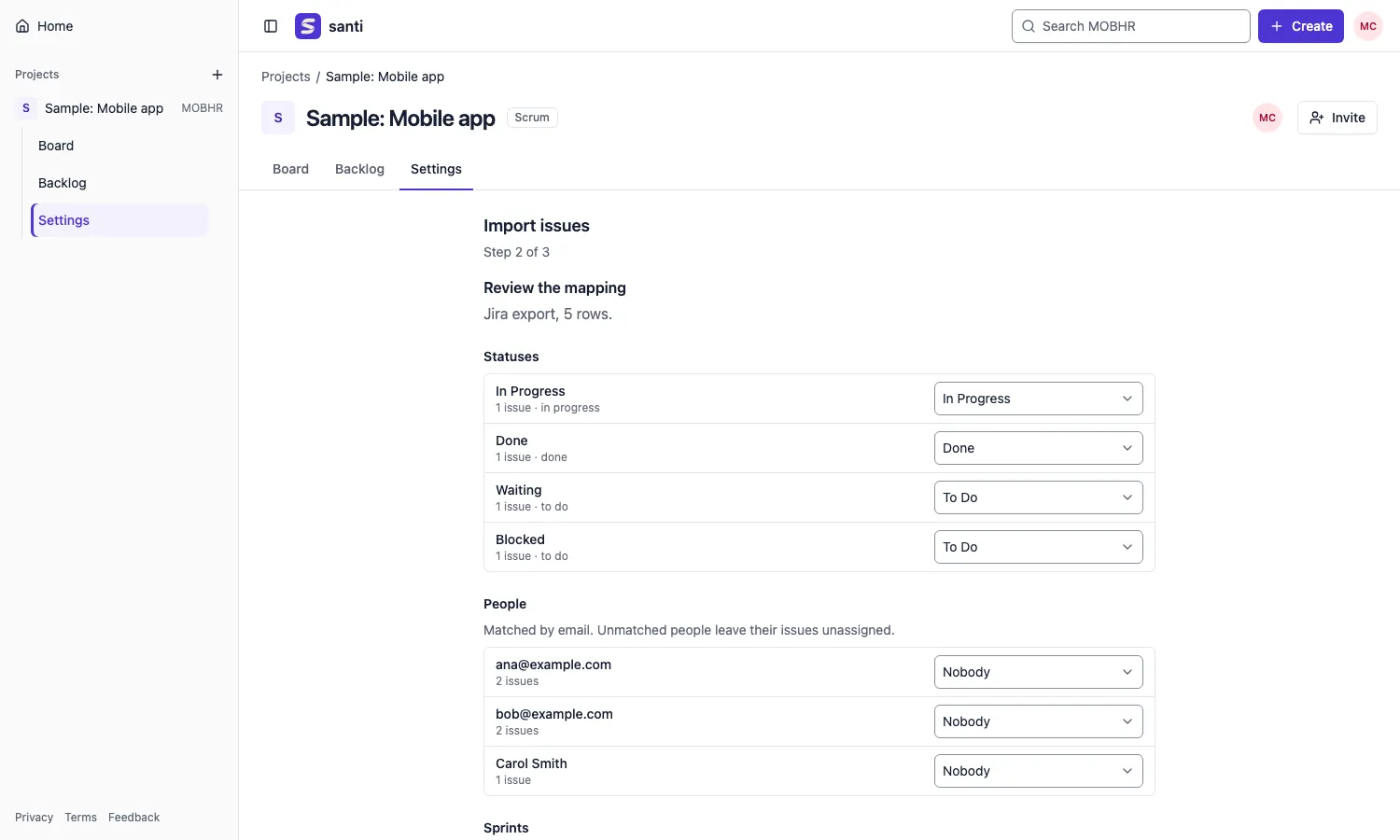
Import from Jira and Linear CSV exports. Review how statuses, people, sprints and issue types map before anything is written, then import with one click.
- Summary, description, status, assignee, labels, points and parents come across
- People are matched to members by email
- Running the same file again skips what it already imported
CLI and MCP
Scripts and AI agents welcome.
Everything the UI does goes through a documented JSON API. The
santi command line drives it from a terminal, and
santi mcp hands AI agents 16 tools that act with your
permissions, nothing more.
- OpenAPI 3.1 document and interactive docs on every server
- Personal API tokens you can revoke at any time
- MCP over stdio or Streamable HTTP
$ santi login --url http://localhost:8080
$ santi issues create WEB --summary "Fix login" --type bug
$ santi issues move WEB-12 --status "In Progress"
$ santi sprints start WEB 3

# give an agent your boards
$ claude mcp add santi --env SANTI_URL=http://localhost:8080 \
    --env SANTI_TOKEN=santi_… -- santi mcp
Performance
Fast on real backlogs, and kept that way.
Measured with 5,000 issues, 50 people and 20 sprints: release build, 10 concurrent connections, on a laptop. Each request runs a fixed number of SQL statements, and CI fails the build if that grows.
- Scrum board, p95
- 6.7 ms
- Backlog of 1,243 issues, p95
- 18.9 ms
- Issue detail, p95
- 1.7 ms
- JavaScript, first visit
- < 170 KB
Self-host
Run it yourself in one command.
One container image and PostgreSQL. Migrations run when the server starts, and your data never leaves your machine.
- Docker Compose locally, or a guide for hosting it for your team
- HTTPS through the reverse proxy you already use
- No telemetry, no seats to count
$ git clone https://github.com/emersonjds/santi.git
$ cd santi
$ docker compose up -d
# open http://localhost:8080
Pricing
Free to run yourself. Simple when we host it.
Every feature is in the open code under the AGPL-3.0, free to run on your own server. Hosting is optional, for teams that would rather not run one.
-
Free forever · open source
Self-host
US$ 0
Run santi on your own server, every feature included.
- Every feature in the open code, no paid edition
- One command with Docker Compose
- Your data never leaves your server
- No telemetry, no seats to count
-
Free
US$ 0 /month
santi hosted by us, no card and no setup.
- 1 project, up to 5 people
- 1 GB of attachments
- At getsanti.app, HTTPS included
-
Team
US$ 19 /month per workspace
or US$ 190 a year, two months free
R$ 97 a month in BrazilThe same santi, hosted, with room for the whole team.
- Unlimited projects
- Up to 50 people per workspace (fair use)
- Every feature, no add-ons needed
Team billing is not live yet. Start on Free today.
Billing is not open yet: until it is, every hosted account is unrestricted.
Privacy
Your data is yours
santi tracks your team's work, not you. The privacy policy says it in plain words.
-
Never sold
Your data is not sold, rented or shared, and there are no ads.
-
No tracking
No analytics, no third-party scripts, one session cookie.
-
Your rights, one click away
Export everything or delete your account from the account page, as the LGPD and the GDPR provide.
-
Or keep it at home
Self-host santi and your data never leaves your own server.
Questions
Is santi free?
Yes. Self-hosting santi is free forever: every feature is in the open code under the AGPL-3.0, with no seats to count. If you would rather not run a server, getsanti.app has a free hosted plan, and a Team plan at US$ 19 a month per workspace is on the way.
Can I host it myself?
Yes, that is what it is built for.
docker compose up -d starts the server and PostgreSQL
on one machine. To open it to a team, put HTTPS in front with a
reverse proxy; the
self-hosting guide
walks through it, along with a guide for a hosted platform.
How do I move my work over?
Export your issues as CSV from your current tracker, then upload the file in a project under Settings → Import issues. You review how statuses, people, sprints and types map before importing, and running the same file twice does not create duplicates.
Is my data safe?
When you self-host, your data stays in your own PostgreSQL database. Passwords are hashed with Argon2id, sessions use an HttpOnly, Secure cookie, and API tokens can be revoked at any time. Back up the database volume on a schedule; security reports go through the process in SECURITY.md.
Who owns my data?
You do. It is never sold or shared, and there is no tracking or analytics. From your account page you can download everything as JSON or delete your account, the rights the LGPD and the GDPR give you. The privacy policy has the details.
Is santi legal to use at my company?
santi is open source under the AGPL-3.0, which allows commercial use. The hosted instance follows Brazil's LGPD and Marco Civil da Internet and, where it applies, the GDPR. Read the Terms of Use and the Privacy Policy, or self-host it to keep everything under your own policies.
Can AI agents work with it?
Yes. santi mcp is an MCP server with 16 tools for
projects, boards, backlog, issues, comments and sprints. An agent
acts with the API token you give it and sees exactly what you see.
What is on the roadmap?
Organizations, an issue history and sign-in with Google are next. Follow the project on GitHub to see what lands and to suggest what should come after.

Start your next sprint on santi.
Create an account and set up a board in a minute, or run your own copy tonight.